Convert user-entered Modbus values
Enter values from a register list, BMS point, gateway or commissioning result and convert them into useful formats. The tool does not connect to devices or read live registers.
A simple browser-based tool to help check Modbus register values, signed and unsigned equivalents, hex values, high/low bytes and common byte order issues during commissioning. Save it locally and use it offline on site once downloaded.
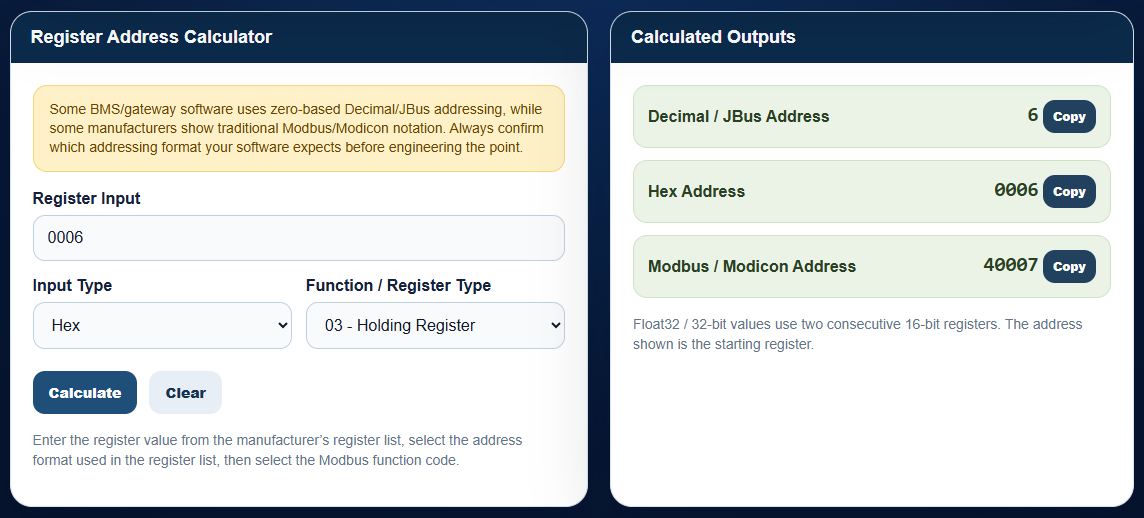
This tool is intended for engineers working with BMS integrations, Modbus meters, controllers, gateways and third-party equipment where manually entered register values need to be checked, converted or broken down into individual bit states.
Enter values from a register list, BMS point, gateway or commissioning result and convert them into useful formats. The tool does not connect to devices or read live registers.
Type in a 16-bit analogue/register value and see the individual bit states, signed equivalent, unsigned value, hex value and high/low bytes.
Set individual bit states and calculate the resulting analogue/register value. Useful for visualising packed fault, alarm and status bits during Modbus commissioning.
These previews are taken directly from the downloadable HTML tool, so when you open it on site it should look familiar from the training videos and from this page.
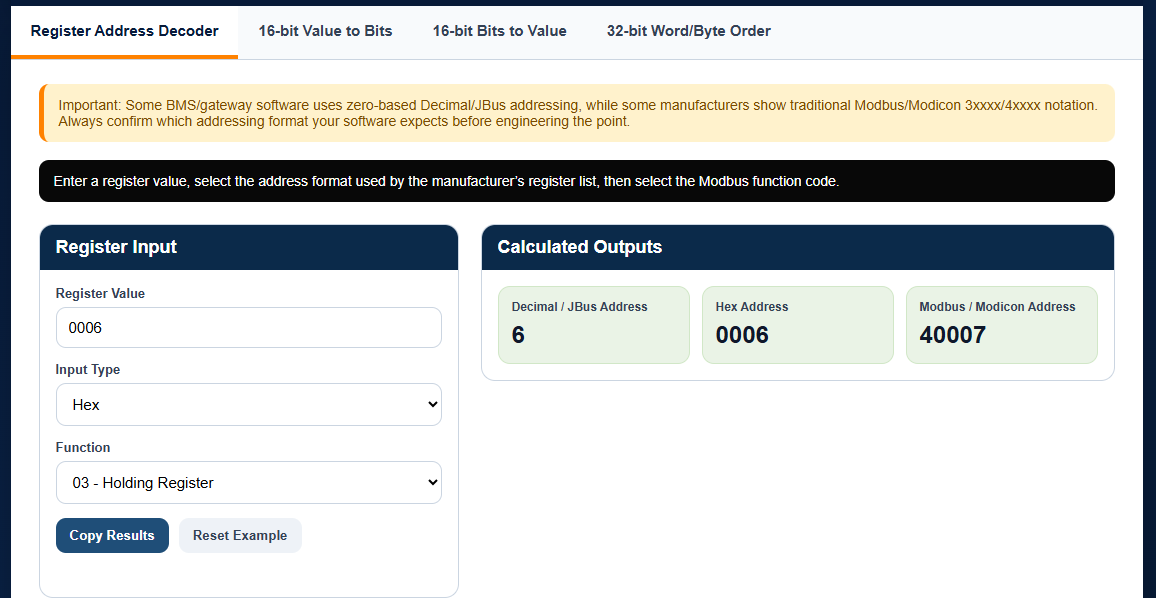
Quickly convert between Hex, Decimal / JBus and traditional Modbus / Modicon addresses.
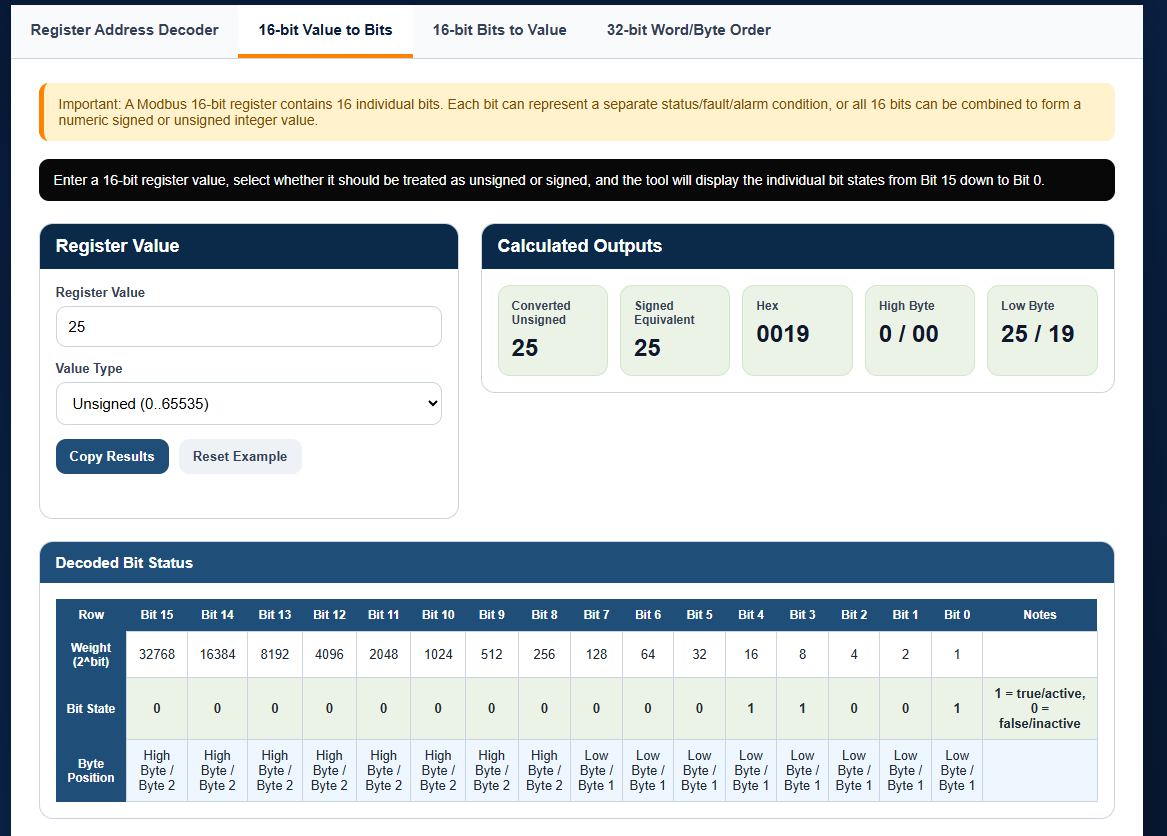
Decode a register value into its signed equivalent, hex value, high/low bytes and individual bit states.
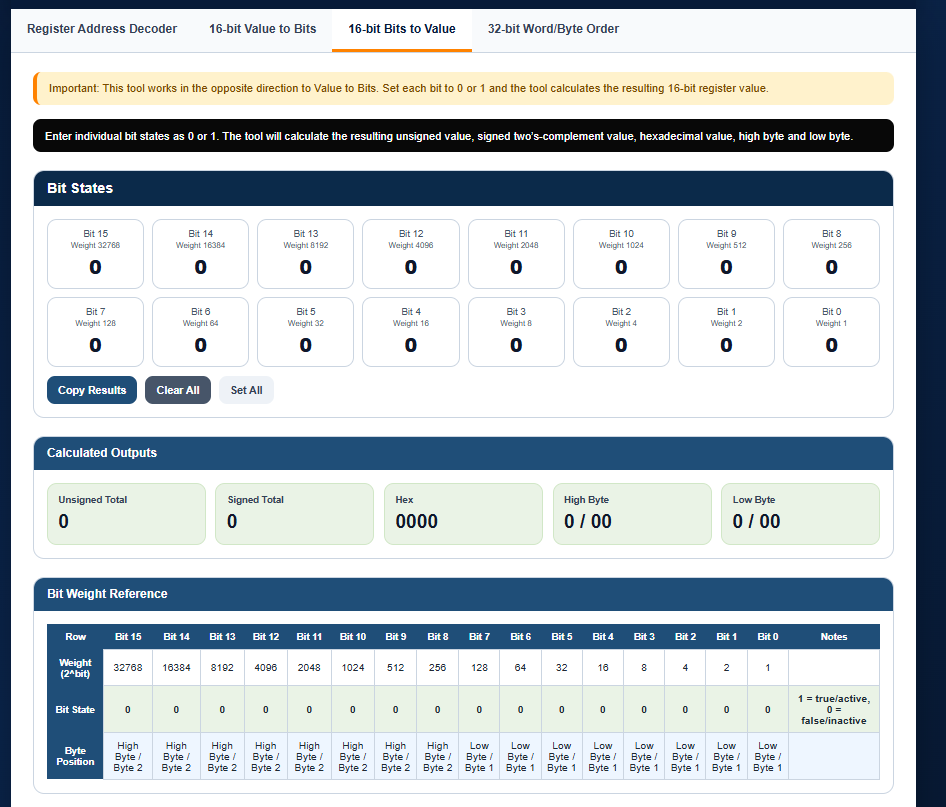
Build a register value from individual bits when you need to prove packed status or alarm values.
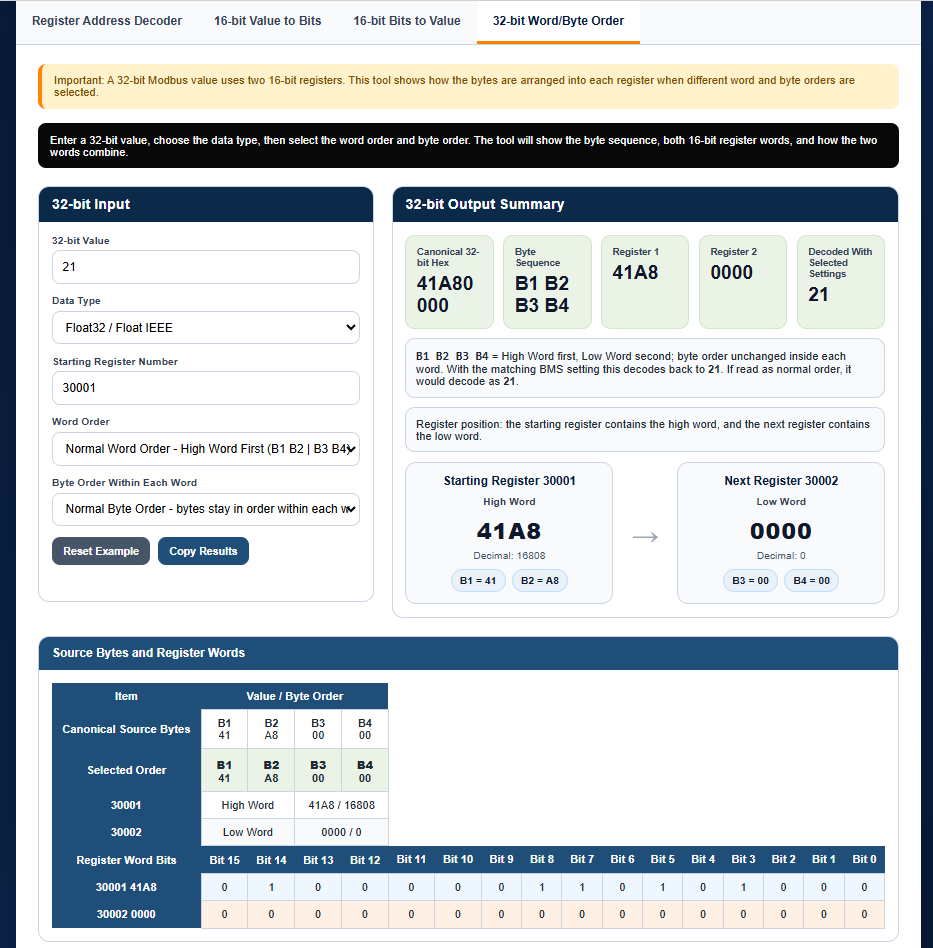
Visualise how two 16-bit registers combine into one 32-bit value, including word and byte order changes.
I’ll be adding demonstration videos showing how to use the Modbus tool during real BMS commissioning scenarios, including register address checks, signed/unsigned values, byte order issues and bit status visualisation.
Enter your details and I’ll send you the free Modbus engineering tool. I’ll also send occasional BMS Logic Academy emails with engineering tools, training content, software consultancy information and relevant service offers. You can unsubscribe at any time.
The tool runs in your browser as a standalone HTML page, so you can save it locally and use it during commissioning.